GK Fiber Optic Distribution Box
Product image for configuration reference Open full-size image
Fiber Distribution Box

GK Fiber Optic Distribution Box

Fiber optic distribution boxes (also known as optical cable distribution boxes) are important passive devices in fiber optic communication networks.

A complete specification is not required for an initial review. A product photo, cable marking, drawing, sample, or known configuration can provide a practical starting point.

Configuration Review

Information to confirm before quotation

Use the available product reference together with the actual installation and delivery requirements.

01
Fiber configuration

Fiber type, fiber count, and compatibility with the existing optical system.

02
Product construction

Structure, jacket, dimensions, protection, materials, and application conditions.

03
Installation and interface

Actual route, equipment, connector, termination, mounting, or installation method.

04
Order and delivery scope

Required length, quantity, labeling, testing, accessories, packing, and destination.

Product Overview

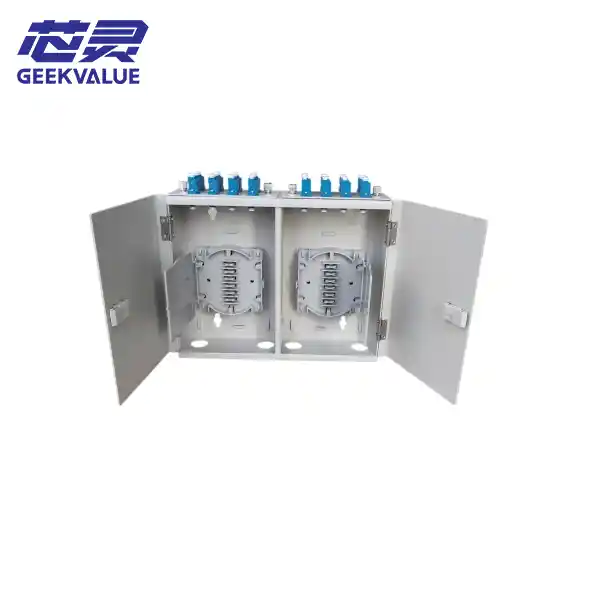
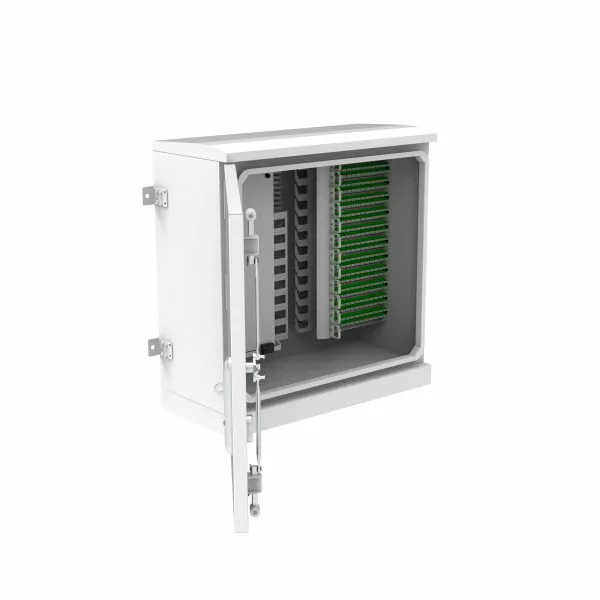
Fiber Optic Distribution Box GPX17W1Fiber optic distribution boxes (Fiber Optic Distribution Containers) are crucial passive components in fiber optic communication networks. You can think of them as the "dispatch and command center" or "large parking lot" of fiber optic lines.

Unlike the previously mentioned fiber optic terminal boxes ("sorting centers" at the ends of fiber optic cables) and fiber optic splice boxes ("security protection stations" for fiber optic cables), the core function of a fiber optic distribution box is the centralized, flexible scheduling, distribution, and management of large quantities of fiber optic cables. It is typically deployed in equipment rooms, building electrical shafts, or outdoors, serving as a critical hub connecting backbone fiber optic cables and access equipment (such as switches and optical modems).

Core Functions: Fiber optic distribution boxes integrate multiple functions, far exceeding simply being "boxes for storing fiber optic cables": Cable Fixing and Protection: Securely fixes the fiber optic cables entering the distribution box and provides a safe bending radius for the fibers, ensuring they are not damaged.

Fiber Optic Splicing and Termination: Provides an operating platform (fusion splice tray) for splicing fibers and pigtails in fiber optic cables and connecting the pigtail ends to adapters (flanges) on the box panel.

Flexible Cabling and Scheduling: This is its core value. Users can easily change optical path connections using patch cords via numerous adapter interfaces on the cabinet panel, enabling flexible service activation and scheduling.

Redundant Fiber Storage: Provides ample and organized storage space (fiber storage trays) for storing coiled redundant fibers, preventing fiber clutter.

Structure and Composition: A standard fiber optic distribution box consists of the following parts:

Rack/Enclosure: The core structure, providing mechanical strength and environmental protection. Indoor cabinets are mostly made of cold-rolled steel (powder coated), while outdoor cabinets use stainless steel or high-strength engineering plastics, providing a higher level of protection.

Sponge Tray: Used to store and protect fiber optic splices (heat-shrink tubing).

Adapter Panel: The front panel for installing fiber optic adapters (e.g., SC and LC interfaces), leading out the internal fiber optic interfaces.

Fiber Optic Cable Grounding Device: Used to secure fiber optic cables and reinforcing cores, and provide grounding functionality.

Storage Reel: Used for coiling and managing redundant fiber optic cables or patch cords.

Cable trays and cable management devices: Used to organize and manage various cables within the box, ensuring neatness and order.

Main Classifications

Fiber optic distribution boxes can be classified according to the following aspects:

By Usage Environment:

Indoor Type: For indoor locations, such as computer rooms and low-voltage equipment rooms.

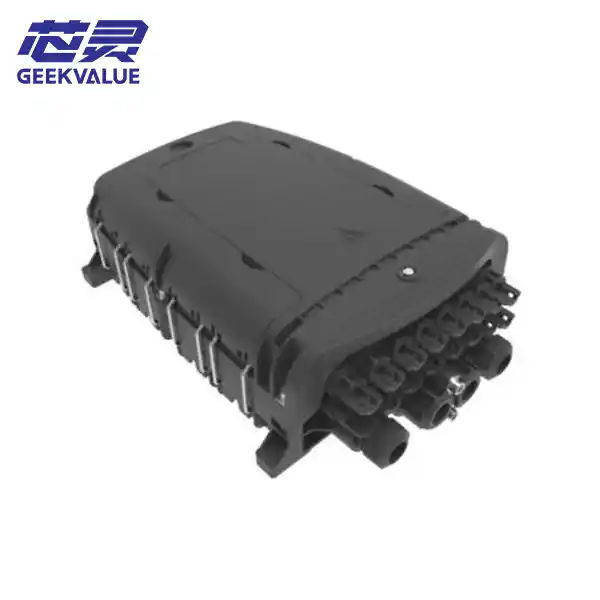
Outdoor Type: For outdoor use, with higher protection levels (e.g., IP65), waterproof, dustproof, and UV resistant. Commonly used in Fiber to the Home (FTTH) fiber optic splitter boxes.

By Installation Method:

Wall-mounted: Mounted on a wall.

Rack-mounted: Can be installed in a standard 19-inch communication cabinet.

Floor-standing: Placed directly on the ground; typically with larger capacity.

Pole-mounted: Fixed to a utility pole (mostly outdoor type).

By Capacity: Based on the number of fiber cores it can hold, common specifications include 12 cores, 24 cores, 48 cores, 72 cores, 96 cores, 144 cores, and even more.

By Adapter Type: Supports multiple interfaces, including SC, LC, FC, ST, and MPO.

Key Performance Indicators: Core parameters for evaluating the performance of fiber optic distribution boxes include:

* Insertion Loss: Optical signal attenuation caused by the adapter, typically required to be ≤0.3dB.

* Return Loss: Depends on the adapter type; PC/UPC type typically requires ≥45/50dB, APC type ≥60dB.

* Protection Rating (IP): Outdoor distribution boxes typically require IP65 or higher, ensuring complete dust and water resistance.

* Insulation Resistance and Withstand Voltage: The insulation resistance between the grounding device and the metal parts of the distribution box should not be less than 2×10⁴MΩ/500V(DC), and it should be able to withstand a voltage of 3000V(DC)/1min.

Mechanical Strength: The distribution box must have sufficient strength to withstand certain impacts and pressures.

Application Scenarios

Fiber optic distribution boxes are ubiquitous and are standard equipment in all fiber optic networks:

Telecommunications Networks: Used for connecting and managing backbone and distribution optical cables in operator central equipment rooms, access networks, and base stations.

Data Centers (IDCs): Used for centralized distribution and management of high-density fiber optics, with rack-mounted high-density distribution boxes widely used.

Fiber to the Home (FTTH/FTTX): Used as a splitter/distributor in building electrical shafts or user corridors to distribute and manage incoming fiber optic cables.

Cable Television (CATV): Used for fiber optic distribution networks for cable television signals.

Local Area Networks (LANs): Used in integrated cabling systems in large enterprises or industrial parks.

How to Choose?

Choosing the right distribution box typically requires considering the following:

Determine Capacity: Calculate the required number of fiber cores based on current needs and expansion plans for the next 3-5 years.

Determine Environment: Clarify whether it will be used indoors or outdoors, and select the appropriate box material and protection rating (IP rating).

**Determine Installation Method:** Choose wall-mounted, rack-mounted, or floor-standing installation based on site conditions.

**Determine Interface Type:** Confirm the required adapter types (e.g., SC, LC) and consider whether high-density (e.g., MPO) interfaces are needed.

**Consider Ease of Operation:** Check the internal layout of the enclosure for rationality and the ease of splicing, cabling, and operation.

**Relevant Standards:** In China, the production and inspection of fiber optic distribution boxes primarily follow these standards:

YD/T 988 "Communication Optical Cable Junction Box" is the core standard. In addition, GB/T 2423 (Environmental Testing) and GB 4208 (Enclosure Protection Rating/IP Code) are also important reference standards.

In summary, the fiber optic distribution box is a key node device on the distribution side of a fiber optic communication network. It manages a large number of fiber optic connections in a centralized, flexible, and efficient manner, forming the foundation for ensuring stable network operation and flexible service expansion. Selecting the appropriate distribution box based on the application scenario is crucial for building a high-quality communication network.

Configuration Support

Have a product photo, marking, drawing, or sample?

Send the available reference together with the installation route, required configuration, expected length, quantity, and destination. This provides a more reliable starting point than selecting from the product name alone.

GK Fiberoptic WeChat QR code

Scan to add WeChat