

Data Center
Explore fiber infrastructure for data center environments, including high-density cabling, optical connectivity, distribution hardware and transceiver connections for scalable network deployment.
Plan Around Space, Density, and Service Access
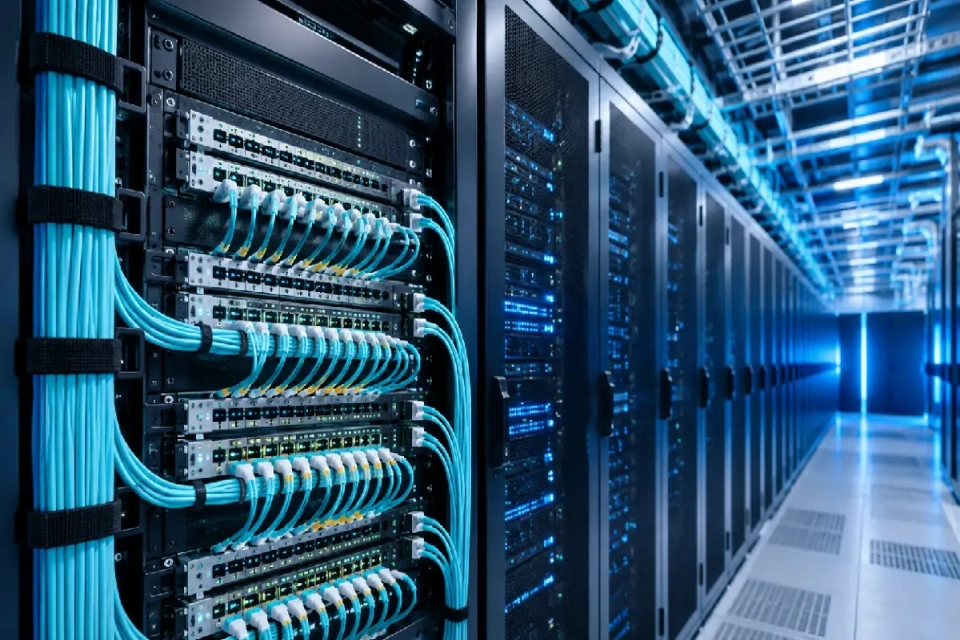
Data center fiber connectivity has to work inside a physical environment where rack space, cable pathways, equipment interfaces, patching access, and future changes all compete for limited room. The practical starting point is therefore not a cable or connector name, but the relationship between the equipment being connected, the route between them, and the way the connection will be installed and maintained.
As connection counts increase, the cable route, available panel space, bend conditions, connector access, and maintenance method become part of the selection decision. A configuration that is optically suitable can still be difficult to install or service if these physical conditions are ignored.
Follow the Fiber Connection through the Data Center
A data center connection is easier to review when the physical route is followed from the equipment interface through the local rack environment and distribution points to the final destination.
01
Equipment interface
Start with the ports, transceivers, connector interfaces, fiber type, and required connection count at the equipment being linked.
02
Rack or cabinet
Review cable entry, available patching space, bend room, connector access, and how individual connections will be identified and serviced.
03
Distribution point
Determine whether the route passes through panels, cassettes, distribution hardware, row-level connections, or another organized transition point.
04
Backbone or destination
Confirm the permanent route, destination equipment area, pathway capacity, required fiber count, and space needed for future expansion.
Higher Density Changes More Than Fiber Count
Increasing connection density affects the amount of working space available inside racks and pathways. The practical question is not only how many fibers fit, but how easily technicians can patch, identify, change, and maintain them.
More cable, adapters, patching positions, and identification points have to share the available rack and pathway space.
Connector access, bend management, cable routing, and the ability to change individual circuits become more important.
Clear labeling, polarity control, structured distribution, and separation between permanent and equipment-side connections become more valuable.
Match the Product Family to Its Role in the Data Center
A data center project may use several fiber product families together. The useful question is not which family is universally better, but what role each one has in the actual connection path.
Explore Data Center Topics
Open a topic to review a narrower network problem, deployment condition, product relationship, or implementation decision within this industry.
Plan Your Data Center Fiber Project
Share the network area you need to connect, the equipment or interfaces already known, the approximate route, and any existing drawings or reference products. We can use the information already available to narrow the relevant product and connectivity direction.